Clock time and invoice quantities use different number systems, and mixing them up quietly costs money. Before you add an hourly line in the free online invoice generator, turn the time you worked into decimal hours: 2 hours 45 minutes goes on the invoice as 2.75, not 2.45.
This guide shows the formula, the most common mistake, a worked weekly example, a quick chart of common minute values, and how to keep rounding fair when you bill many short tasks. It is written for freelancers, contractors and small businesses who bill by the hour in the US, UK, Canada, Australia, New Zealand, Ireland or anywhere else.
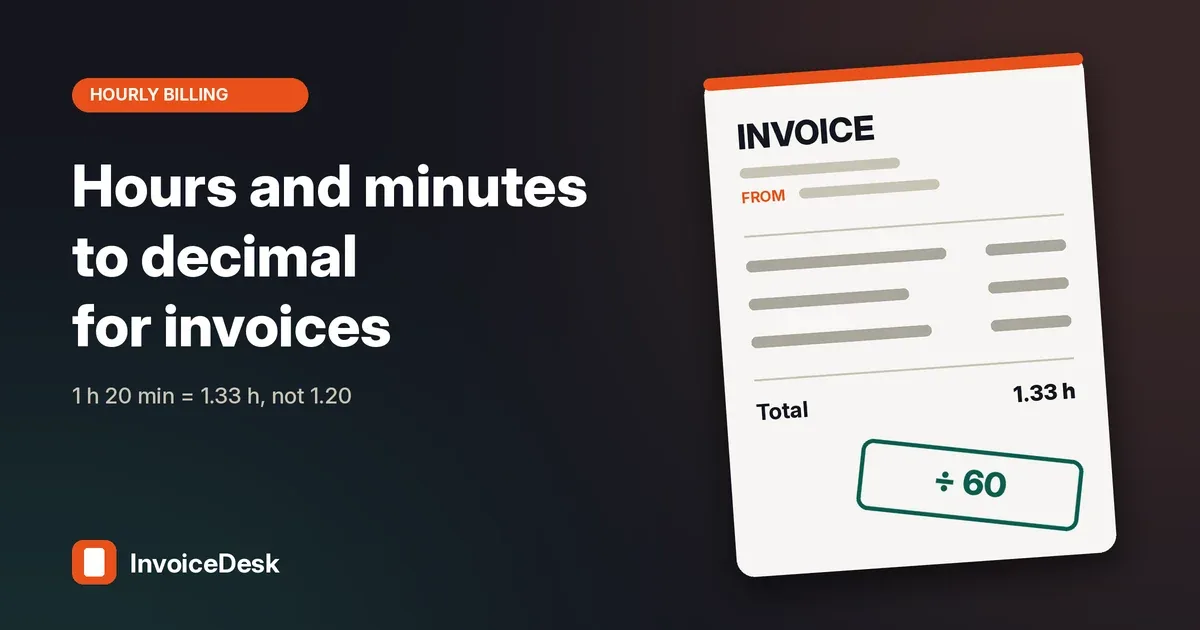
Quick answer: keep the whole hours and divide the minutes by 60. 1 hour 20 minutes is 1 + 20 ÷ 60 = 1.33 hours. Put that decimal in the quantity column, your hourly rate in the rate column, and keep the original clock time in the description so the client can check it.
Why invoices need decimal hours
An invoice multiplies a quantity by a rate. That only works if the quantity is an ordinary decimal number. Time on a clock is counted in sixtieths: there are 60 minutes in an hour, so "1:30" means one and a half hours, not one and thirty hundredths.
If you type 1.30 into the quantity box, the invoice reads it as 1.3 hours, which is 1 hour 18 minutes. You have just given away 12 minutes. Every invoicing tool, spreadsheet and accounting system behaves the same way, because none of them know you meant clock time.
The formula
Keep the whole hours and divide the minutes by 60. If you track seconds, divide them by 3,600.
decimal hours = hours + minutes ÷ 60 + seconds ÷ 3,600
So 7 hours 45 minutes is 7 + 45 ÷ 60 = 7.75 hours. 8 hours 30 minutes is 8.5 hours. A 37 hour 15 minute week is 37.25 hours. A 42-minute call is 42 ÷ 60 = 0.70 hours.
To go back from a decimal, multiply the part after the point by 60. 6.4 hours is 6 hours plus 0.4 × 60 = 24 minutes. 2.85 hours is 2 hours plus 0.85 × 60 = 51 minutes.
If you just want the answer, the time to decimal calculator converts in both directions, includes a minutes-to-decimal chart and shows what the line is worth at your rate.
The 1.20 versus 1.33 mistake
The minutes on a clock are sixtieths of an hour, not hundredths. Writing 1 hour 20 minutes as 1.20 hours bills only 1 hour 12 minutes.
At 60 an hour the difference looks small on one line: 72.00 instead of 80.00. Across a month of short calls and fixes it adds up, and it always goes against you. The reverse mistake, reading a client's 1.20 as 1 hour 20 minutes, overcharges them and damages trust.
A quick sanity check: a decimal ending in .60 to .99 is perfectly valid, while a clock reading can never show more than 59 minutes. If your timesheet shows 1.75, it means 1 hour 45 minutes. If you see "1.75" in a column labelled hh:mm, something has already gone wrong.
Quick chart of common minute values
You will meet the same handful of minute values again and again. Here they are as decimal hours, rounded to two places where the decimal repeats:
- 5 minutes = 0.08 hours (0.0833…)
- 6 minutes = 0.10 hours
- 10 minutes = 0.17 hours (0.1666…)
- 12 minutes = 0.20 hours
- 15 minutes = 0.25 hours
- 20 minutes = 0.33 hours (0.3333…)
- 24 minutes = 0.40 hours
- 30 minutes = 0.50 hours
- 36 minutes = 0.60 hours
- 40 minutes = 0.67 hours (0.6666…)
- 45 minutes = 0.75 hours
- 48 minutes = 0.80 hours
- 50 minutes = 0.83 hours (0.8333…)
- 54 minutes = 0.90 hours
Notice that every multiple of 6 minutes gives a clean one-decimal answer. That is why some professions bill in tenths of an hour: 6 minutes is exactly 0.1 hours, so the arithmetic never repeats.
Worked example: one week of short tasks
Say you bill a client 75 an hour and log these five entries in a week:
- Monday, 20 minutes
- Tuesday, 1 hour 20 minutes
- Wednesday, 2 hours 20 minutes
- Thursday, 50 minutes
- Friday, 1 hour 50 minutes
Method 1: add the minutes first (most accurate)
The entries total 20 + 80 + 140 + 50 + 110 = 400 minutes. 400 ÷ 60 = 6.6667 hours. At 75 an hour that is exactly 500.00.
Method 2: convert and round each line to two decimals
The lines become 0.33, 1.33, 2.33, 0.83 and 1.83 hours. They add up to 6.65 hours, and 6.65 × 75 = 498.75. You have lost 1.25 to rounding, because every one of those values was rounded down.
Method 3: the clock-reading mistake
Typing the clock times straight in as 0.20, 1.20, 2.20, 0.50 and 1.50 gives 5.60 hours, and 5.60 × 75 = 420.00. That is 80.00 less than the work was worth, in a single week.
The lesson: Method 1 is the safest. Method 2 is acceptable if you keep more decimal places, and Method 3 should never happen.
Rounding: convert once, not on every line
Some minute values repeat forever as decimals. 20 minutes is 0.3333…, 40 minutes is 0.6666… and 50 minutes is 0.8333…. Rounding each of those to two places is normal, but if you round every entry and then add them up, the cents or pence drift, as the worked example shows.
Two ways to keep the total right:
- Add up all the minutes for the period first, then convert the total once.
- Or keep three or four decimal places in the quantity column and let the invoice round only the money.
This is different from billing increments. Rounding each task up to 6 or 15 minutes is a pricing rule that should be agreed with the client in your contract or quote. Our guide to billing hours in 6-minute increments explains how that changes the total.
A note on employee time
Payroll is not invoicing. If you are converting employee hours rather than billing a client, employment rules can limit how you round. In the US, for example, the federal rule at 29 CFR 785.48 allows rounding employee start and stop times to the nearest 5 minutes, tenth or quarter of an hour only where it averages out so that employees are fully paid for the time they work. Check the rules in your own country before applying any rounding to wages.
Converting in a spreadsheet
Spreadsheets store time as a fraction of a day. Multiply the time cell by 24 and format the result as a number, for example =A2*24 turns 7:45 into 7.75. If hours and minutes are in separate columns, use =A2+B2/60. Format long totals as [h]:mm so they do not wrap back to zero after 24 hours.
To keep the worked-example drift out of your spreadsheet, add up the time cells first and multiply the total by 24 once, rather than converting each row and rounding it.
Putting the hours on the invoice
On the invoice line, put the decimal hours in the Qty column and your hourly rate in the Rate column. Keep the clock time in the description so the client can check it, for example "Website fixes, 4 Nov, 2 h 45 min". Use + Add item for each task or day if the client wants detail, or one line for the period total if they prefer a short invoice.
If you log several dated entries with start and end times, the timesheet invoice tool adds them up, applies your rounding rule and rate, and sends the lines to the invoice generator when you click Create invoice.
A good hourly line usually shows:
- What the work was, in plain words
- The date or period it covers
- The clock time, for checking
- The decimal hours as the quantity
- Your hourly rate
The invoice itself still needs the usual details, such as your business name, the client, an invoice number, dates and payment terms. The checklist in what to include on an invoice covers them.
Not sure your rate is right in the first place? The freelance hourly rate calculator works it back from your income target, costs and billable hours. For the wider picture of billing clients, see how to invoice as a freelancer.
FAQ
Is 1.5 hours 1 hour 50 minutes?
No. 1.5 hours is 1 hour 30 minutes, because 0.5 × 60 = 30. 1 hour 50 minutes is 1.83 hours.
How do I convert 45 minutes to decimal?
Divide by 60: 45 ÷ 60 = 0.75 hours. On an invoice at 80 an hour, 45 minutes is worth 60.00.
How many decimal places should I use?
Two decimal places is fine for a single line. If you bill many short entries, keep three or four places in the quantity, or total the minutes first, so the money total is not thrown off by repeated rounding.
Should I show hours and minutes or decimals on the invoice?
Use decimals in the quantity column, because that is what gets multiplied by the rate. Adding the clock time in the description as well makes the invoice easy for the client to check.
Can I round my time up?
Only if the client has agreed to it. Billing in 6- or 15-minute increments is common, but put the rule in your contract or quote. Otherwise bill the actual time.
Related tools
This article is general information about invoicing arithmetic, not tax, payroll or legal advice. Employee payroll rounding has its own rules in many countries.